Launching an online store has never been easier. Getting it to sell is harder. Most new stores don’t fail because nobody visits. They fail because visitors don’t trust the store, can’t see why the product is better, or give up at checkout.
Here is how we would set up a new store so it has a real chance of turning visitors into orders.
1. Start with a clear offer
Before you choose a theme or run an ad, answer three questions in one sentence each: what do you sell, who is it for, and why is it better than the alternatives?
Put that answer on the first screen of your homepage and on every product page. A visitor should understand your offer in about ten seconds. If you sell everything to everyone, shoppers won’t know why they should buy from you.
2. Make product pages do the selling
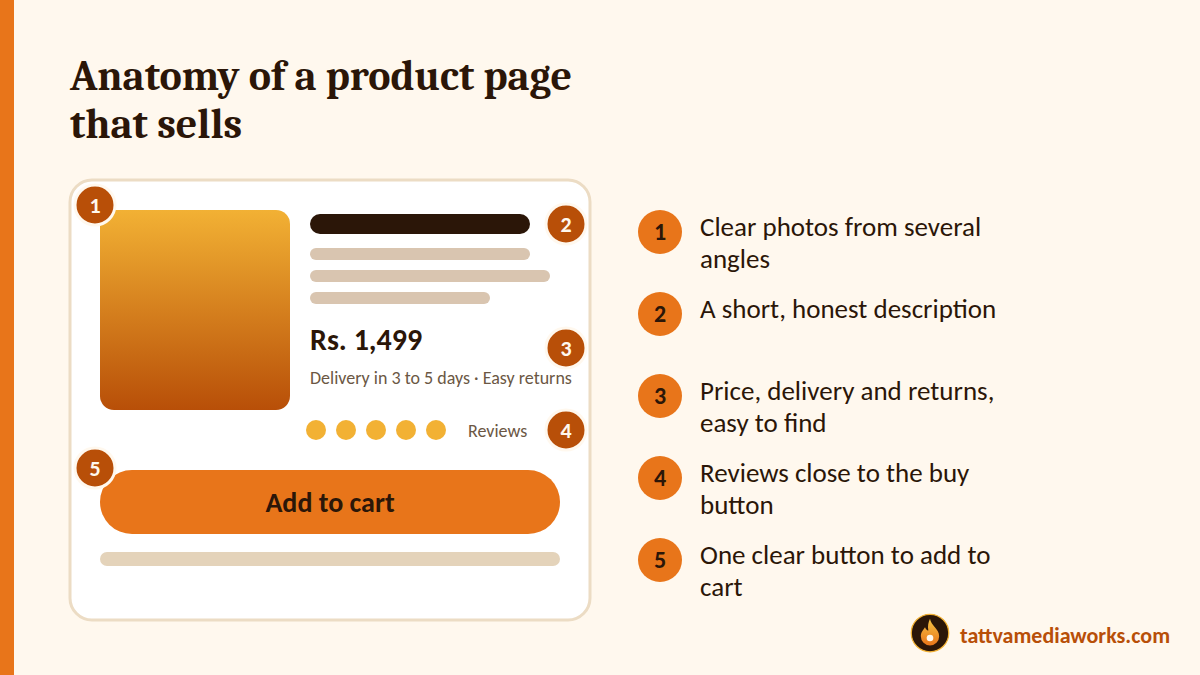
Your product page is your salesperson. Most buying decisions are made here, not on the homepage. A strong product page has:
- Clear photos from several angles, including detail and scale
- A short, honest description that answers the questions customers actually ask
- Price, delivery time and returns information that is easy to find
- Reviews or proof close to the buy button
- One clear button to add to the cart
If a customer has to hunt for delivery or returns information, some of them will leave.
3. Build trust before the first order
New stores have a trust problem. Shoppers can’t see you, so they look for signs that you are real.
- Show a real address, phone number or WhatsApp contact
- Add clear policy pages: shipping, returns, privacy and terms
- Show reviews, even a few genuine ones, and share real customer photos when you have them
- Tell your story on an About page, with the people behind the brand
Never invent reviews or numbers. A small amount of honest proof beats a lot of fake proof.
4. Make checkout short and familiar
Every extra step costs you orders.
- Offer guest checkout, so customers don’t have to create an account
- Ask only for the information you really need
- Offer the payment methods your customers already use, such as UPI, cards and wallets, and cash on delivery where it makes sense for your product
- Show the total cost, including shipping, as early as you can
- Make sure invoices and taxes are set up correctly for your business
Then test the whole process yourself on a phone. Place an order, pay, and check the confirmation email.
5. Get speed and mobile right
Most of your shoppers will visit on a phone. If pages load slowly or buttons are hard to tap, they will leave.
- Compress images before you upload them
- Use a clean theme and avoid adding apps and plugins you don’t need
- Check each key page on a real phone, on mobile data, not just on Wi-Fi
If you are choosing a platform, our guide to Shopify, WordPress or custom explains how to decide.
6. Set up tracking before you spend on ads
This is the step most new stores skip. If tracking isn’t working, you can’t tell which ads, products or pages bring orders, and you end up guessing. Before you launch any campaign:
- Install Google Analytics 4 and connect it to Search Console
- Track key actions: product views, add to cart, checkout started and purchases
- Tag your campaign links so you can see where each order came from
Our analytics and conversion optimisation service helps stores do this properly.
7. Launch small, then improve every week
You don’t need to be perfect on day one. You do need a plan for the first 30 days.
- Week 1: Launch to friends, family and your first customers. Ask for honest feedback and fix anything confusing
- Week 2: Start one traffic source, such as a small paid campaign or Instagram, and watch the numbers
- Week 3: Look at where people drop off: product page, cart or checkout. Fix the biggest leak first
- Week 4: Keep what works, drop what doesn’t, and plan the next month
Small, steady improvements usually beat big redesigns.
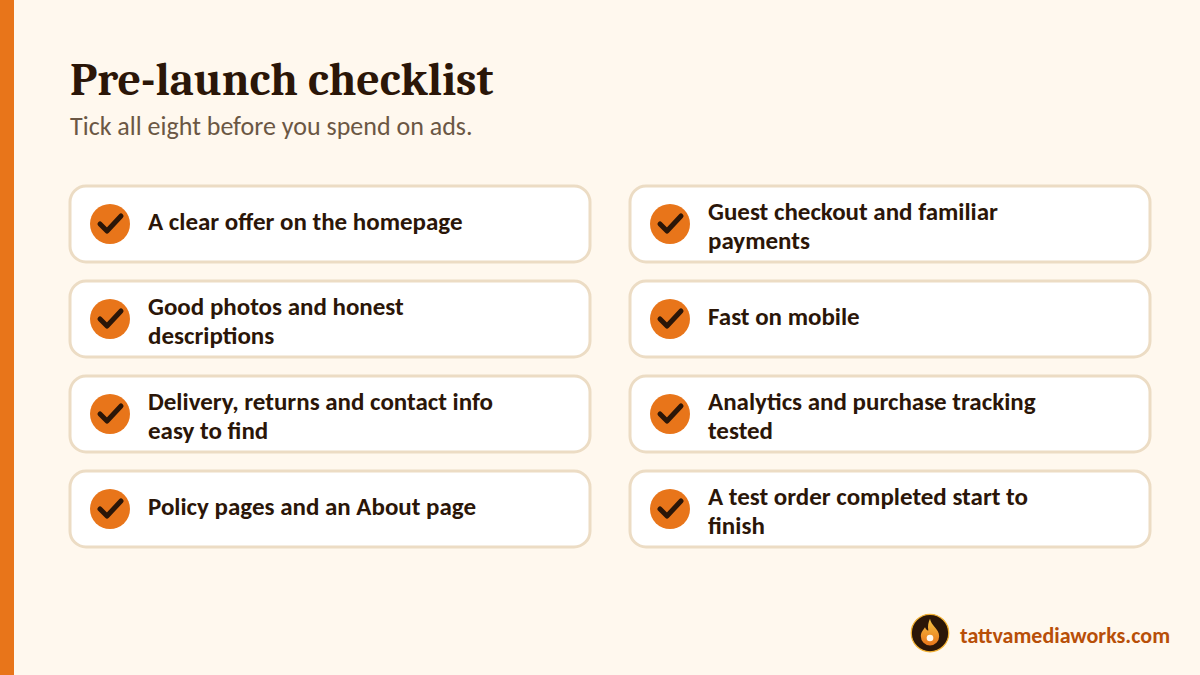
Quick pre-launch checklist
- A clear offer on the homepage
- Good photos and honest descriptions on every product
- Delivery, returns and contact information that’s easy to find
- Policy pages and an About page
- Guest checkout and familiar payment options
- Fast on mobile
- Analytics and purchase tracking tested
- A test order completed from start to finish
Need help launching?
At Tattva MediaWorks, we help e-commerce and D2C brands build stores, fix conversion problems and grow with marketing that is tracked from the first click. If you would like an honest look at your store, ask us for a free growth audit.